
Anyone who plans routes with several stops has run into RouteXL. It has been around more than a decade, it optimizes a route with a lot of destinations, and up to 20 stops it costs nothing. That combination is hard to beat, and for a large number of people it is the right answer.
This article is for the other case: when RouteXL is no longer enough, and what to replace it with.
Short version first. If you optimize a single route of under 20 stops and do not need a driver app, stay on RouteXL. Nothing here will be cheaper, and the free tier is permanent rather than a trial. What follows only matters when one of those two conditions stops being true.
Where RouteXL ends
RouteXL is deliberately narrow. It optimizes the order of stops on a route and exports the result. That is the product, and the focus is a large part of why it works well.
The limits that follow from that focus:
Stops per route. Twenty free, 100 on the €35/month plan, 200 on the €70/month plan. There is also a fair use policy on the free tier covering how many routes a day you plan.
One route at a time. There is a multiple-rounds feature that will calculate several routes, but no way to assign them to specific drivers.
No driver app. This is the big one. You can send a route by link, and the recipient can open it on a phone and tap through to Google Maps for navigation. What you cannot do is see where the driver is, receive proof that a stop was completed, or keep a record of any of it.
No documentation. You can tick a stop off in the mobile view, but that is a visual aid — it is not stored anywhere and is not evidence of anything. If you need to show a customer that you were there at 4:12 in the morning, RouteXL is not the tool.
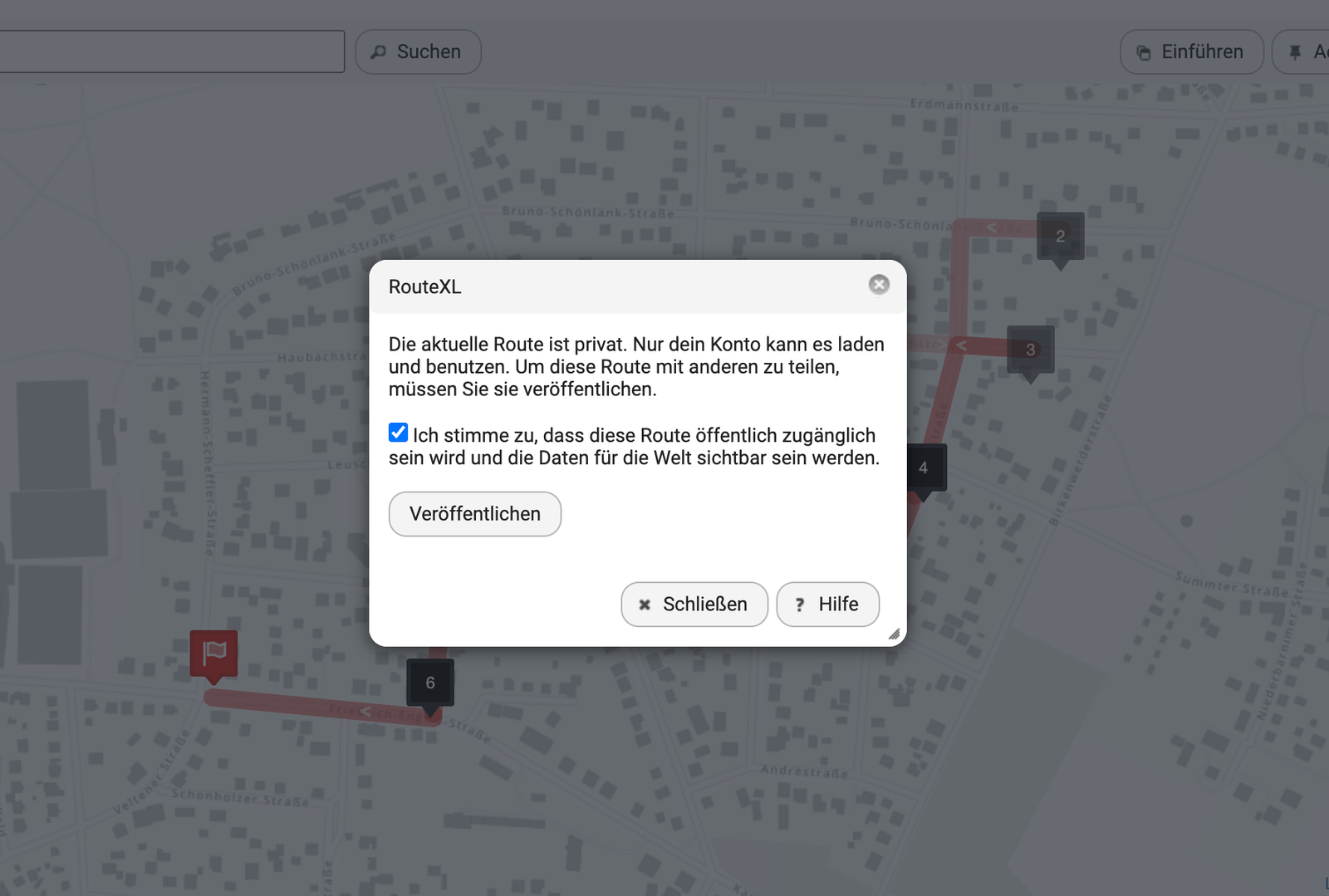
Shared links are public. A route you share by link is readable by anyone who has the link, and you have to explicitly consent to that before sending it. For a customer list, that is worth thinking about.
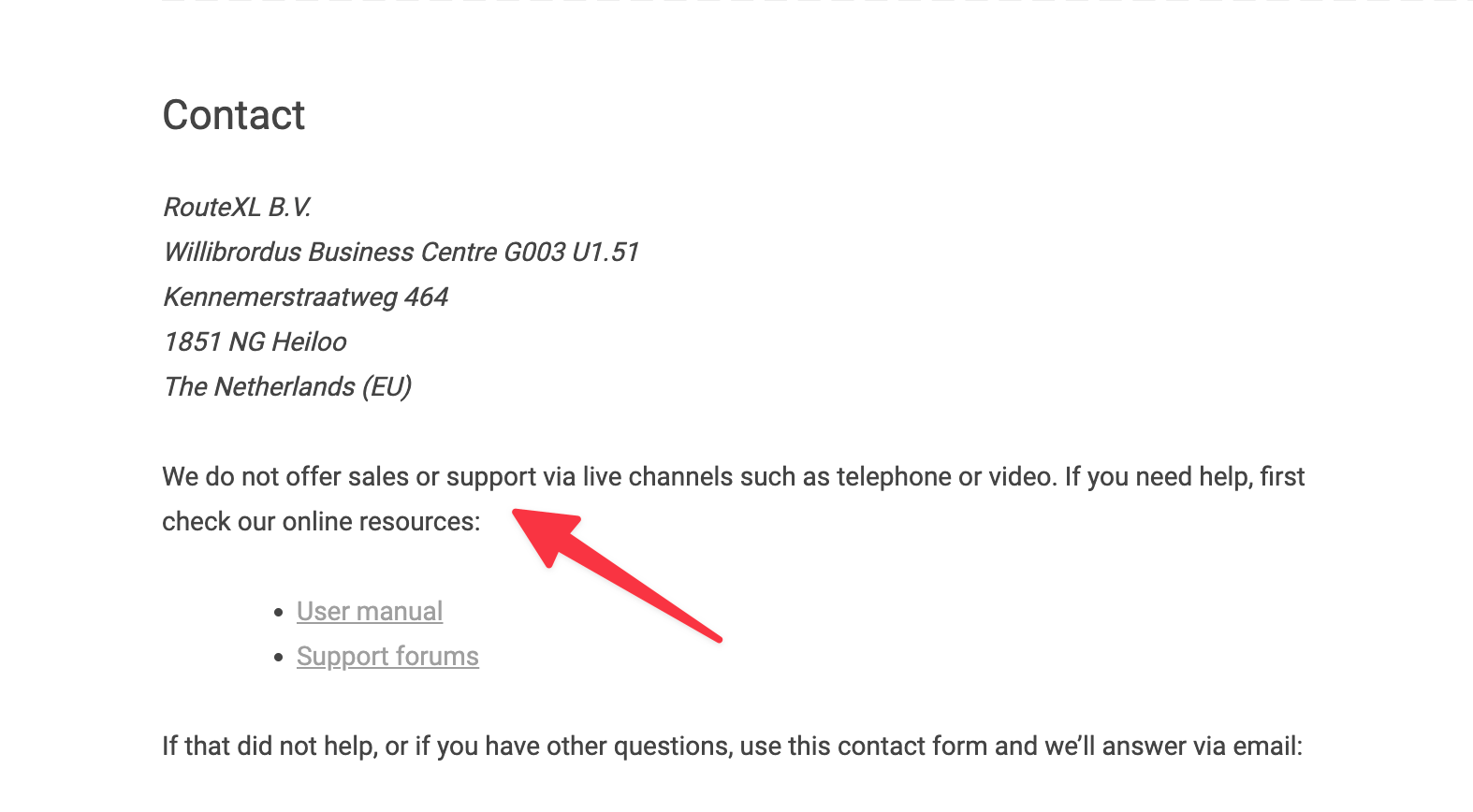
Support is a forum. RouteXL's contact page states directly that there is no phone or video support and points you to the RouteXL forum, with a contact form as the fallback.
None of those are flaws exactly. They are the trade for a tool that is free, fast and does not ask you to set anything up.
What the alternatives are, honestly
If what you need is a better free optimizer, there are several, and we compared 8 free route planners with optimization — Vroom in particular handles over 100 stops and splits them across up to 10 routes, free.
If what you need is the part RouteXL does not do — several routes assigned to drivers, an app, documentation — then you are looking at paid products, and the useful comparison is not "which is best" but "which billing model fits". We went through that in the cheapest route planners with optimization.
Below is xRouten specifically, since it is our product and this is our blog — followed by an honest note on where it is the wrong choice.
xRouten as a RouteXL alternative
Planning
With RouteXL you import addresses or click them onto the map, up to your plan's limit, and get the best order back with time windows and vehicle profiles taken into account.
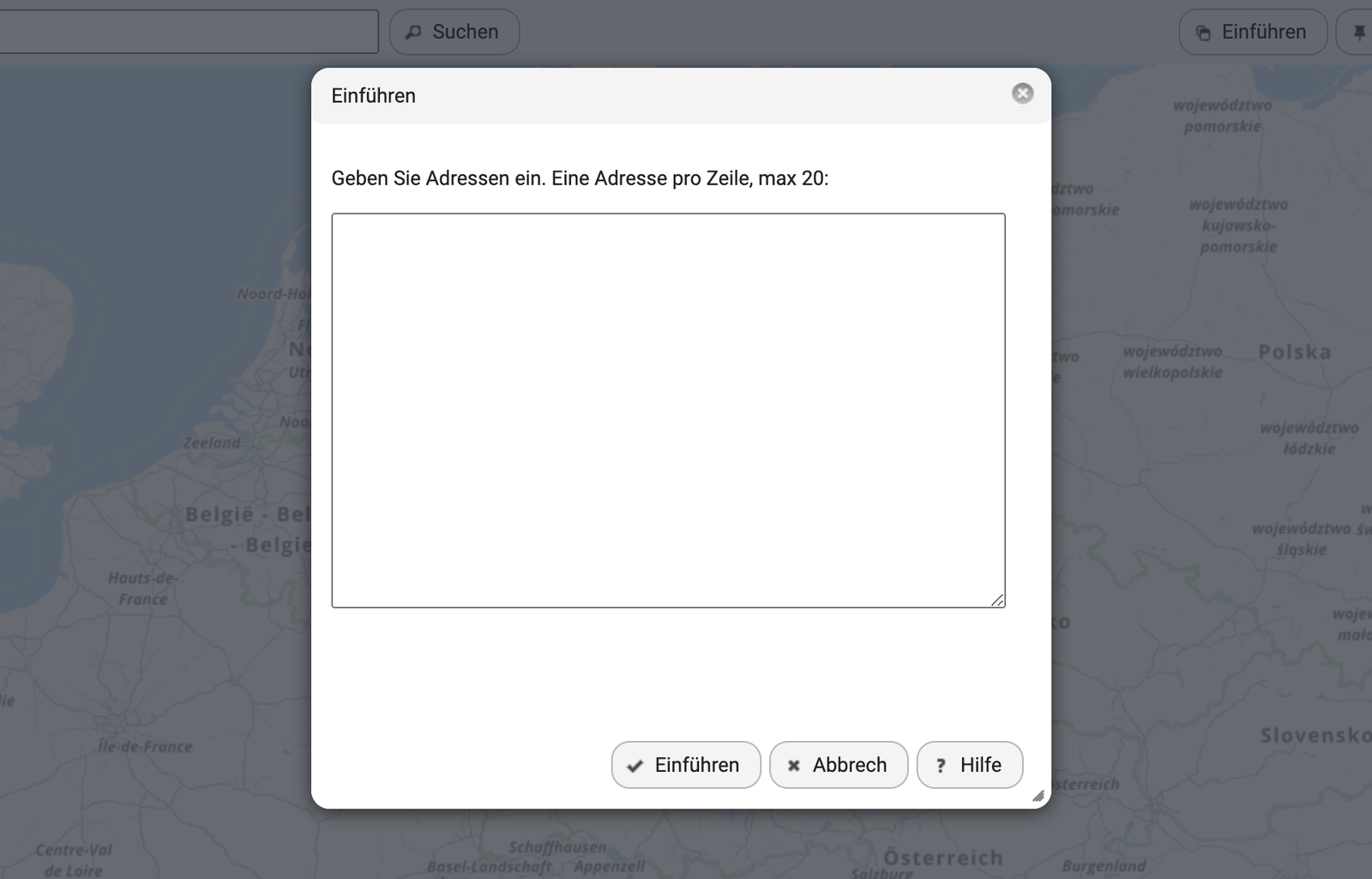
xRouten imports the same way — spreadsheet, search bar, or clicking the map — with two differences. There is no stop limit on the paid plan, and you can plan several routes at once rather than one.
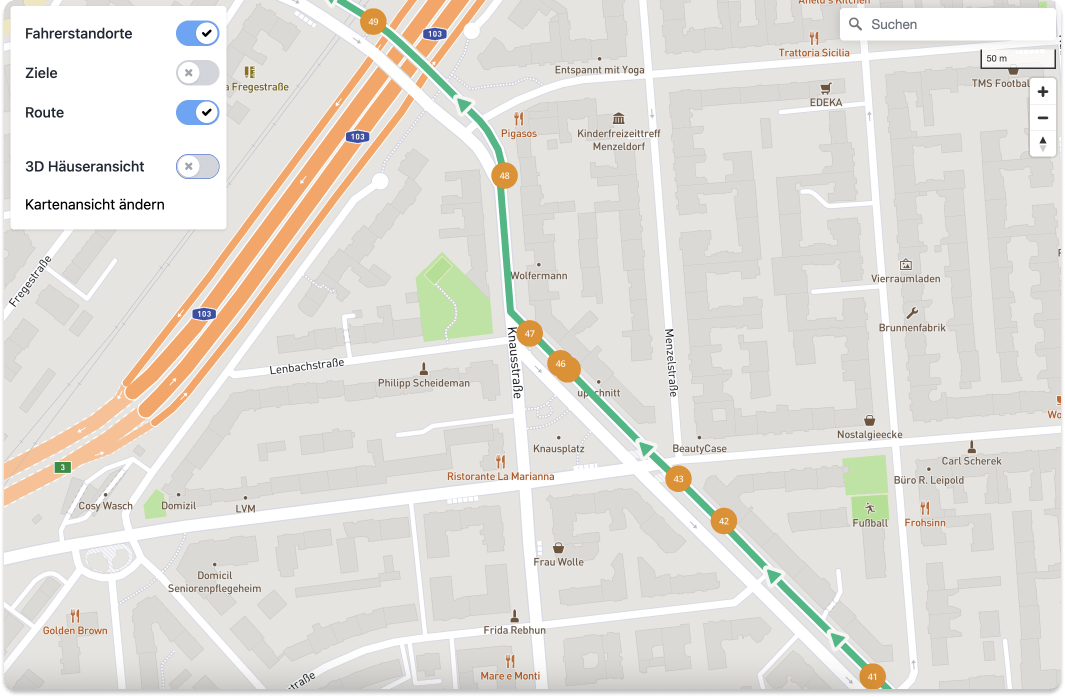
That second point is where the time actually goes. You can import several routes and lay them over each other on the map, see how they are distributed relative to one another, and move a stop from one route to another by clicking the marker.
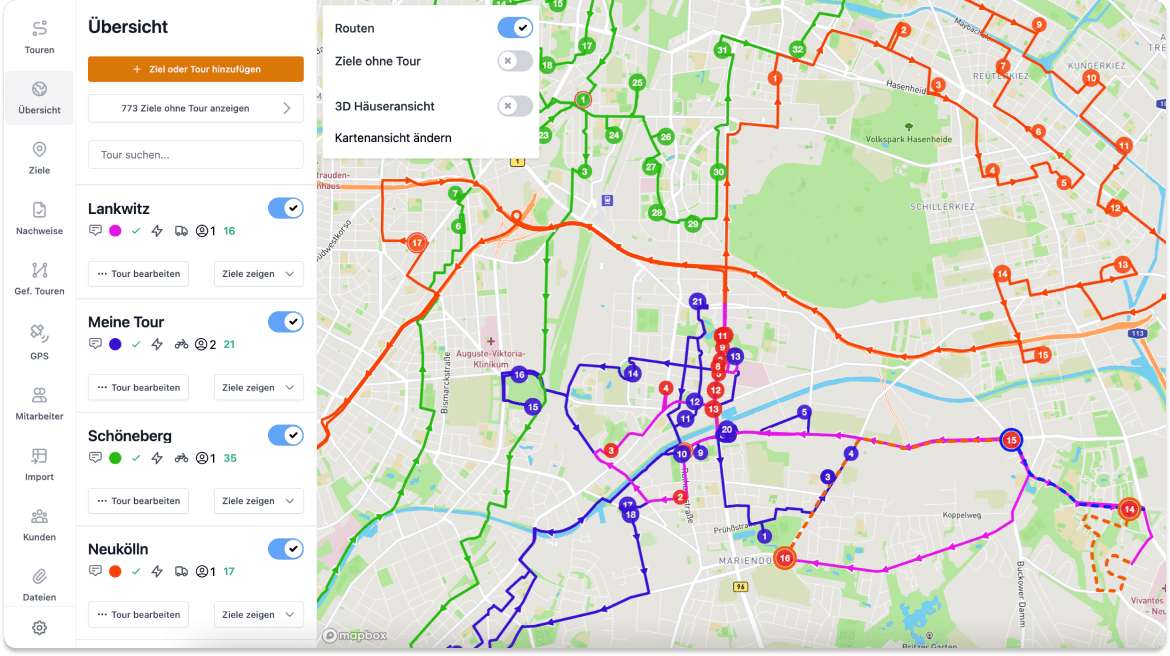
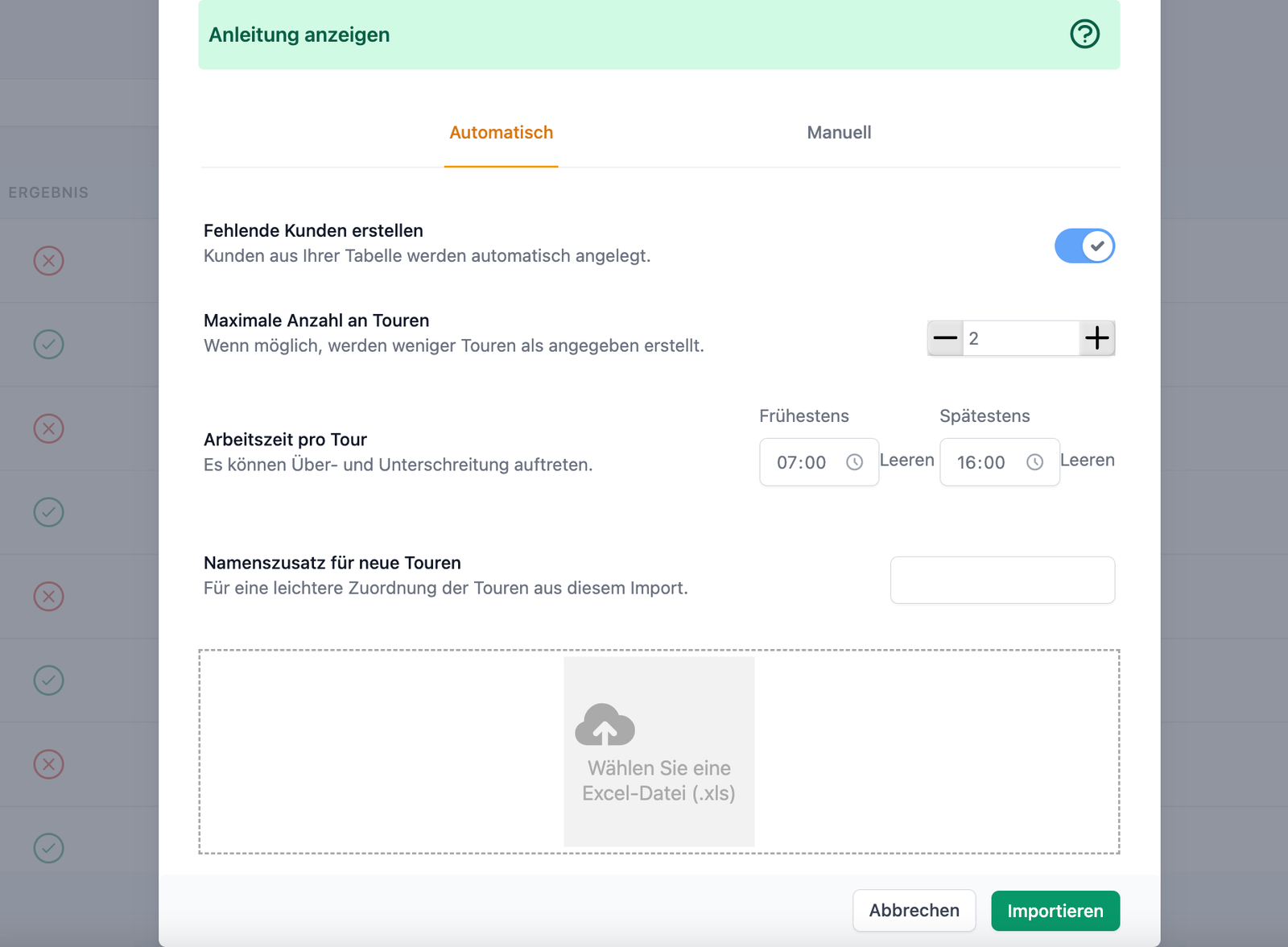
Or you import one spreadsheet of many addresses and tell xRouten how many routes to build from it. Time windows and working hours are taken into account, the algorithm distributes the addresses across balanced routes, and you adjust by hand afterward where local knowledge beats the optimizer.
Driving
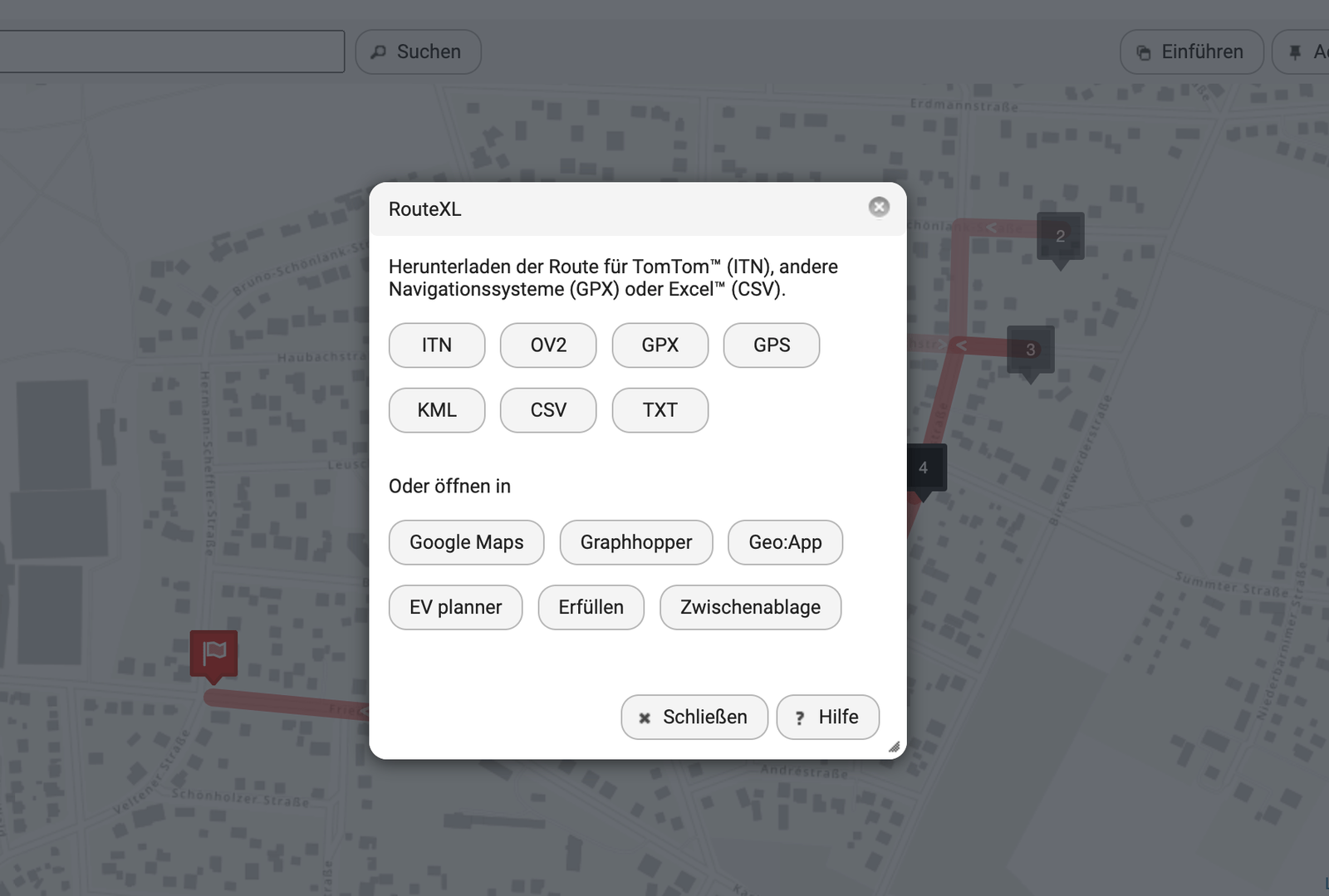
RouteXL exports to CSV, TXT, GPS, KML, GPX, OV2 and ITN, and sends a route by email or link.
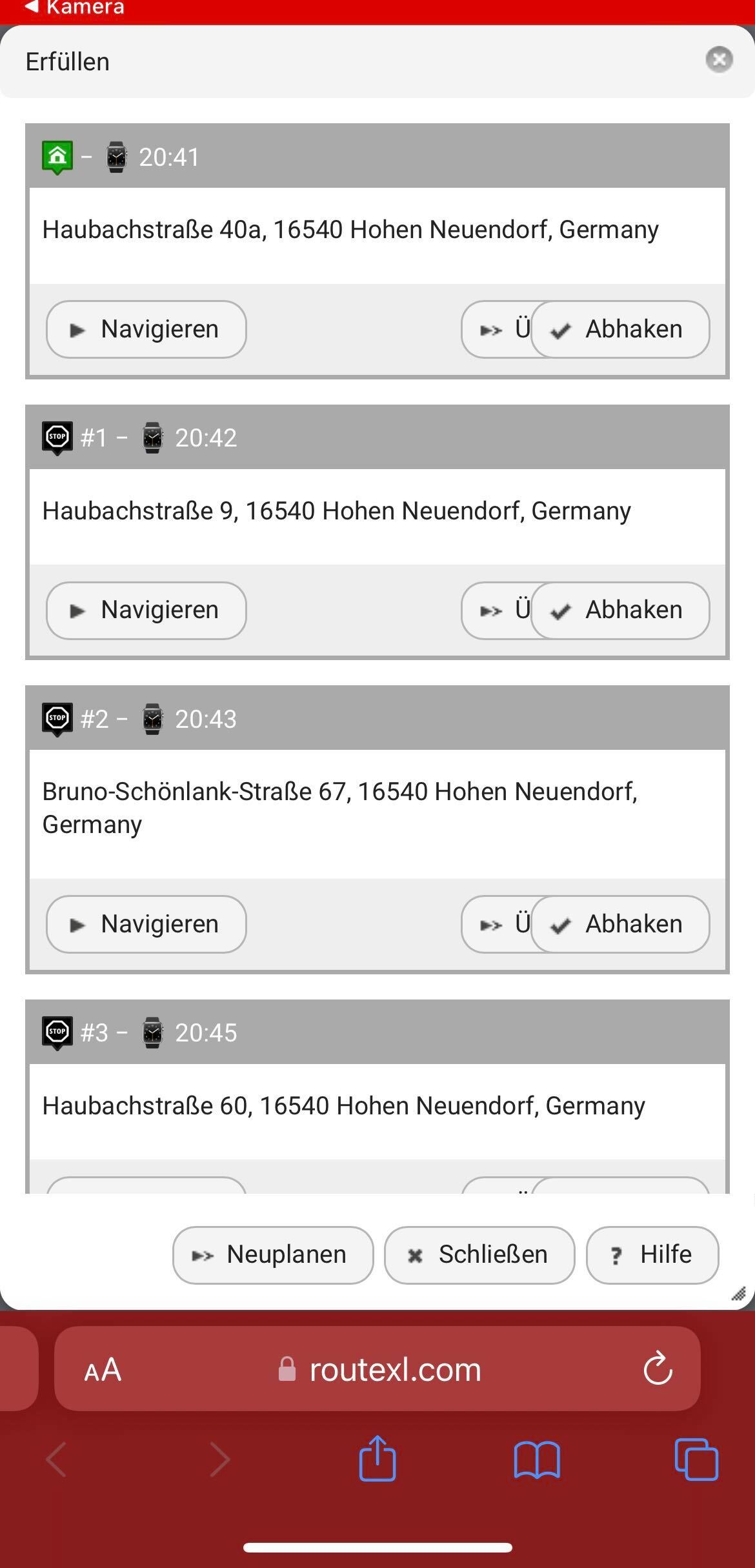
In the mobile view the recipient can tap Navigate to open Google Maps and drive to the next stop, and Check off to make an address disappear from the list. Note that a checked-off address cannot be brought back.
With xRouten, the dispatcher creates accounts for drivers. Drivers install the xRouten app from the App Store or Play Store and see their routes in an actual app — Android, iPhone, tablets and iPads. Routes appear as a list and on the map with all the information attached: names, notes, PDFs. 3D navigation is built in, so there is no switching between Google Maps and something else.
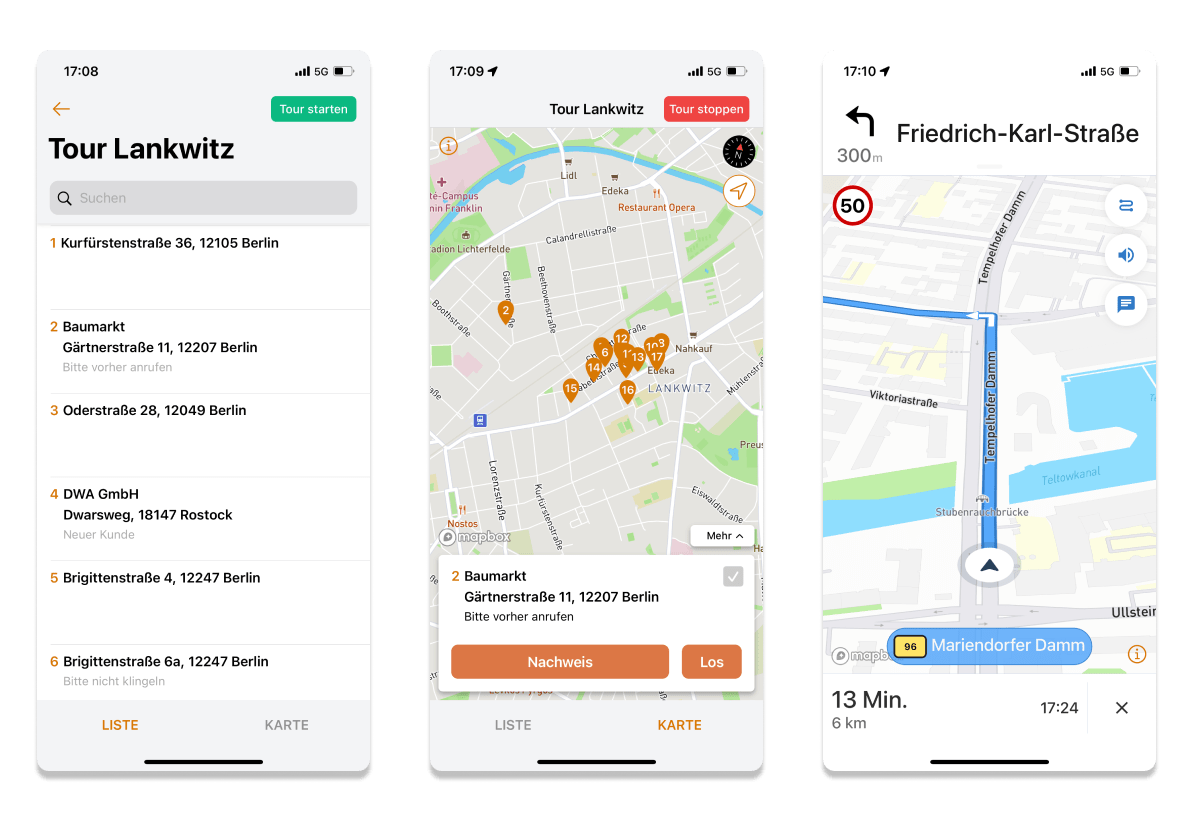
Drivers see only the routes assigned to them. Nothing is shared publicly, and drivers and routes can be deleted, locked or managed at any point.
Documenting
This is the clearest difference and the usual reason people move.
RouteXL has no built-in way to record what happened, so anything you need to prove goes back to pen and paper.
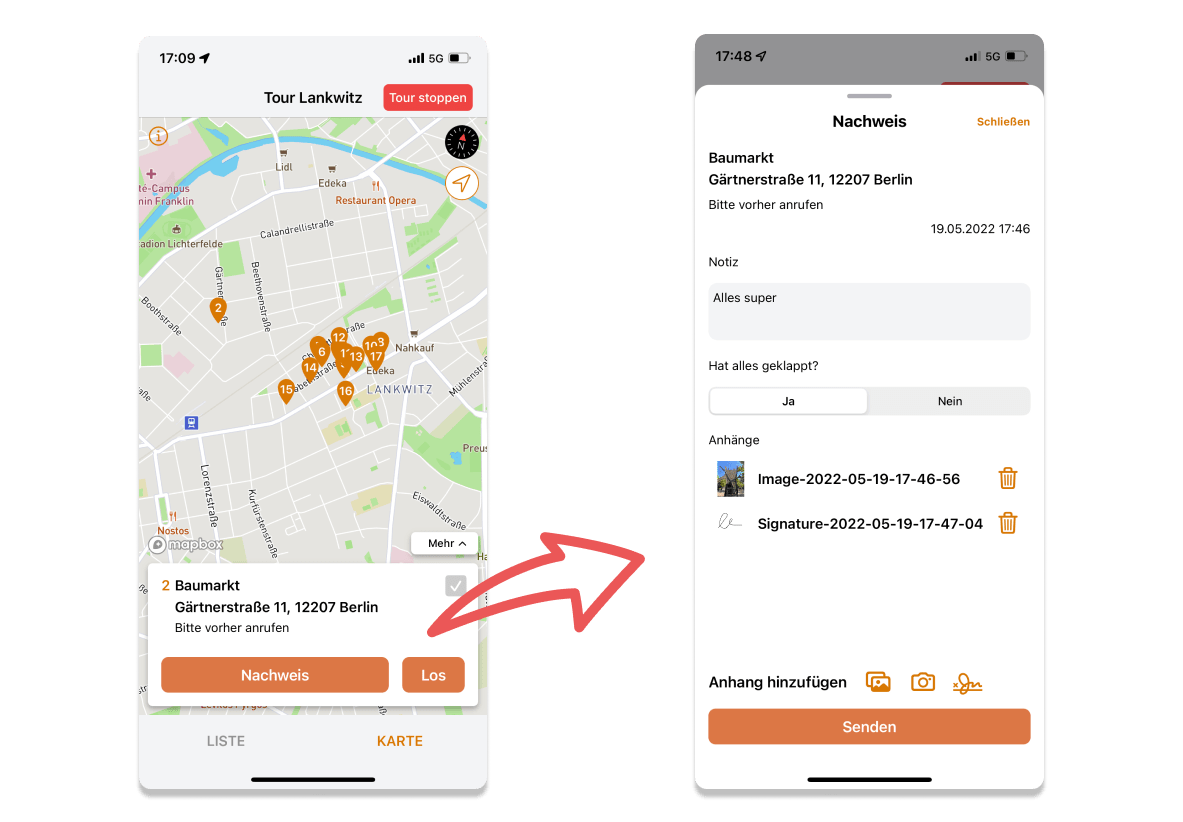
In xRouten, when a driver taps Start route, grey checkmarks appear next to every address along with a proof button. Proof can carry notes, photos and signatures and arrives with the dispatcher in real time. Location is shared live too, so when a customer calls to ask when someone is arriving you can look at the map and answer rather than hanging up, calling the driver and calling back.
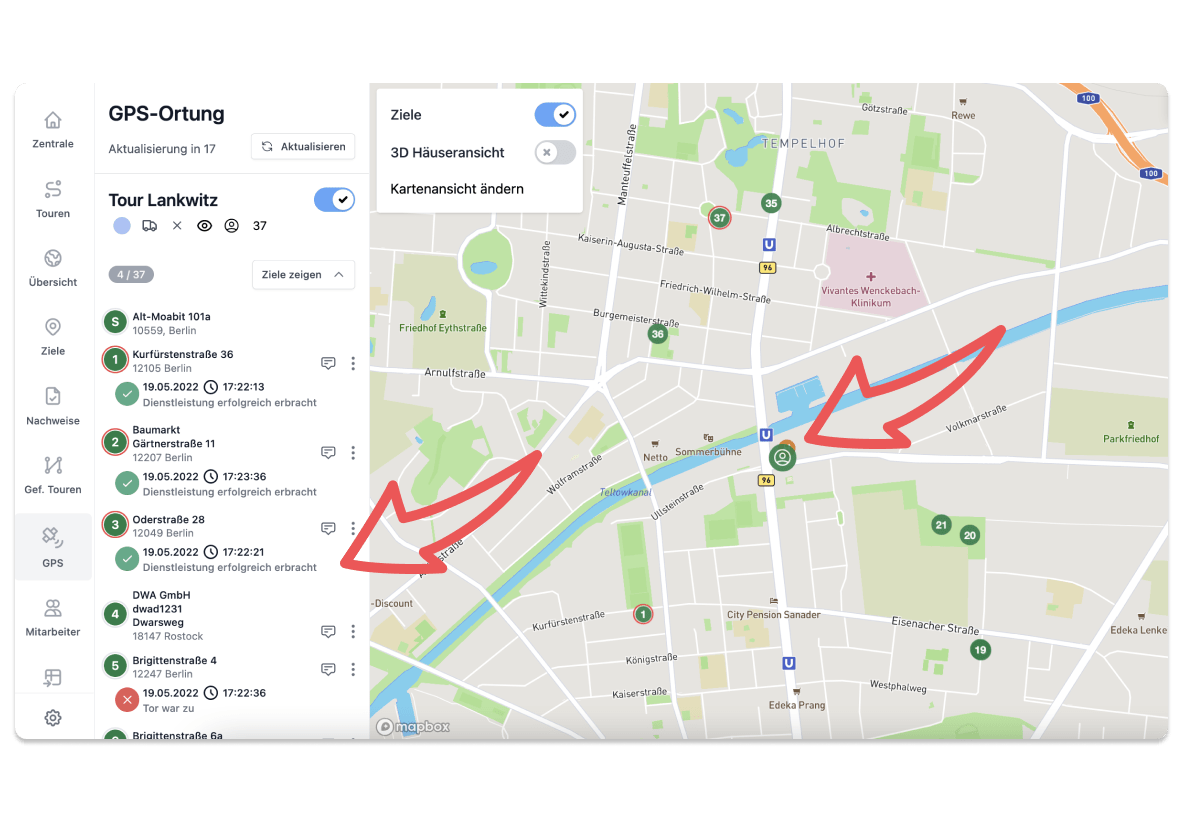
For customers doing winter service or tree watering there is automatic proof: the app recognizes when you are at the stop and files the proof itself, even with the screen off and the phone in a pocket. You can set the geofence radius and how long someone has to have been on site before proof is filed.
Proofs can be configured — whether they show customer name, driver name, address, reference, notes, files and signature — and carry your logo.
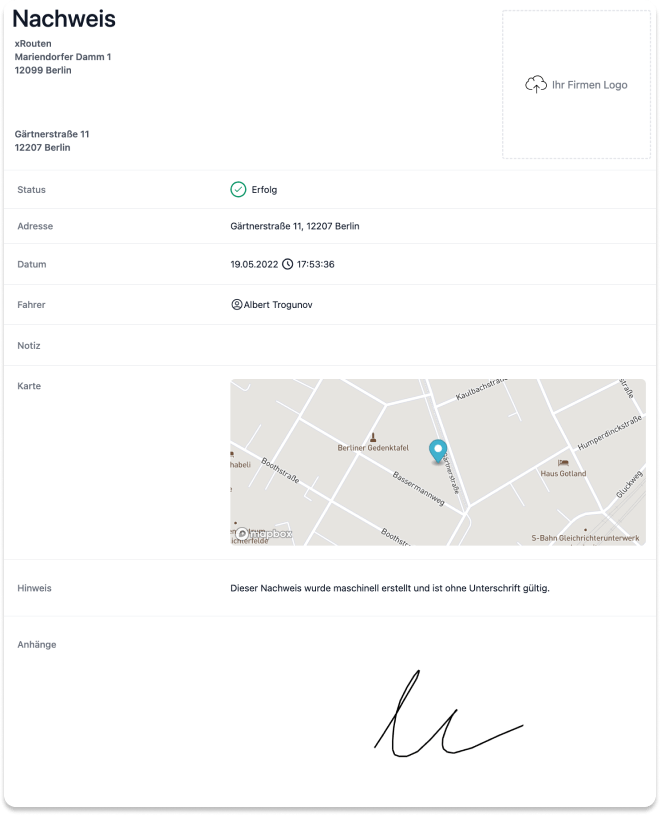
Everything is stored, searchable, filterable and exportable as a spreadsheet or PDF, to forward to customers or use for invoicing. The driven track is recorded alongside it, with a point on the map every 15 seconds.
Price
Neither product locks you in; both can be cancelled at any time.
| RouteXL | xRouten | |
|---|---|---|
| Price | €0–70/month | €25/month + €10 per driver for the app |
| Stops | 20 free, 100 or 200 on paid plans | No limit |
| Several routes at once | Calculation only, no driver assignment | Yes, with driver assignment |
| Driver app | No | Yes |
| Documentation | No | Photos, signatures, GPS |
| Live tracking | No | Yes |
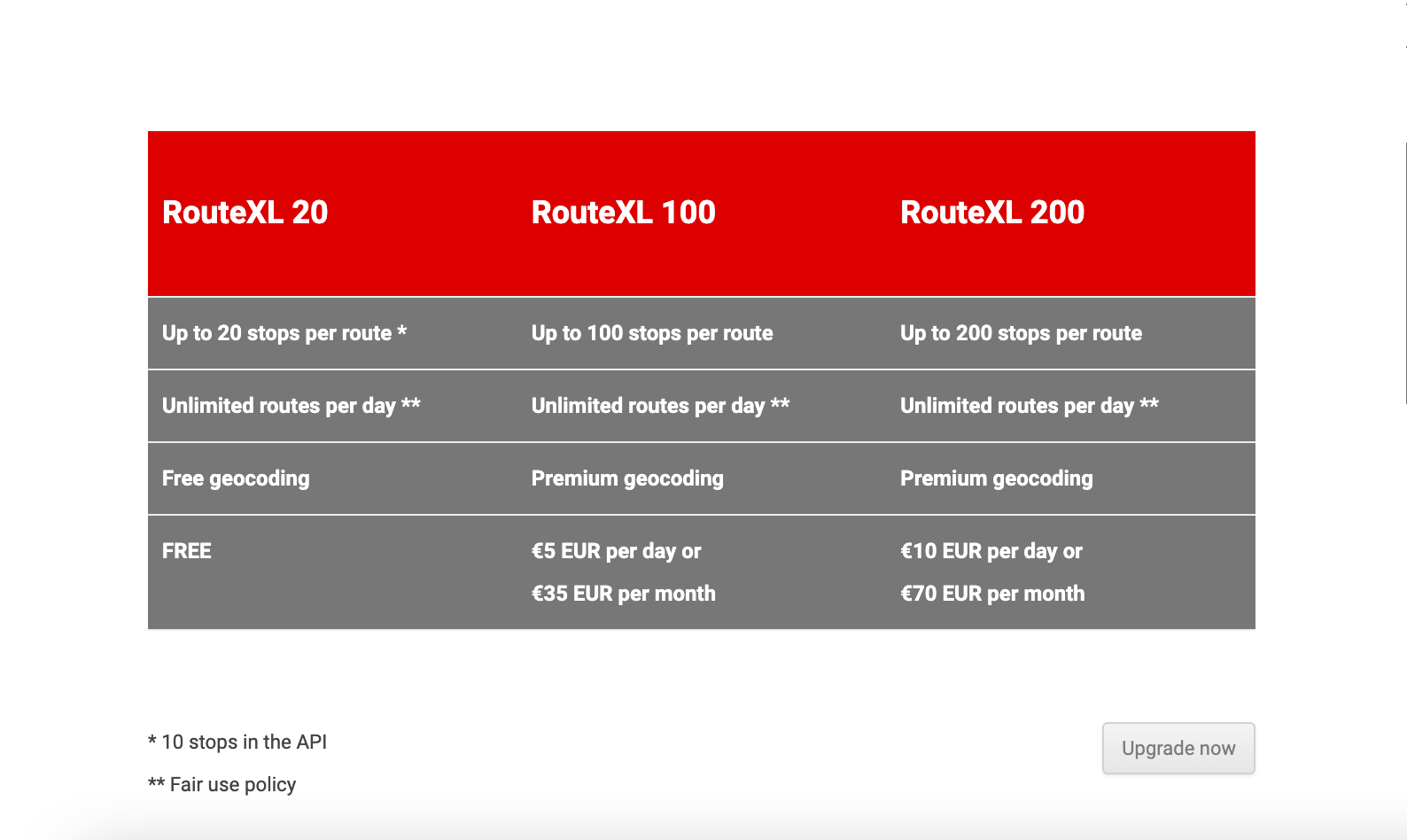
RouteXL optimizes up to 20 addresses free. Above that there are packages: €35 a month for 100 addresses and €70 a month for 200 per route, or €5 a day and €10 a day respectively. There is also a fair use policy, meaning you should not plan an unreasonable number of routes a day.
xRouten is €25 a month for unlimited routes and addresses, plus €10 per driver per month for the app.
Prices checked September 2026.
So which one
Stay with RouteXL if you are one driver optimizing one route of 20 stops or fewer, you do not need proof of service, and you do not need to see where anyone is. It is free, it is permanent, and it does that job well.
Move if any of the following is true: you plan more than one route at a time; you need more than 20 stops regularly and would be paying €35–70 anyway; you need to document what was done; you need to know where a driver is; or you need someone on the phone when something goes wrong.
The honest framing is that these are two different products with an overlapping free tier, not a better and a worse one. If you want to see the second kind in your own operation, xRouten is free for 14 days.

Try xRouten free for 14 days
Try it now