

The short version
xRouten is cloud-based dispatch and route planning software for small and mid-sized businesses that plan their work on a map rather than in a list or a spreadsheet.
- Who it is for: businesses with location-based, route-driven dispatch — anyone delivering or driving out to jobs, medical couriers, municipal operations, and businesses doing maintenance or service on site. Not suitable for purely time-based dispatch such as home care rostering or shift planning.
- Core features: visual route planning on the map, automatic route optimization, fleet management, real-time communication with drivers, a supporting calendar view including driving and rest times, and interfaces to ERP, CRM, Zapier, Odoo and WooCommerce.
- Why small businesses: simple to run without an IT team, cost-effective compared with enterprise systems, modular, and works whether you have one or two vehicles or a larger fleet.
- Trial: 14 days free, nothing to cancel, ends by itself.
In short: a lean, map-based option sitting between simple schedulers and complex enterprise TMS systems, aimed at small businesses with daily route requirements.
From daily chaos to a route plan that holds
If you handle dispatch in a small business you know what the mornings look like. New jobs come in, a driver calls in sick, a customer wants to move their appointment, and somehow it all still has to run smoothly. That sounds simple and rarely is — least of all when dispatch runs through spreadsheets, handwritten notes, or several tools that do not talk to each other.
That is the gap xRouten is built for: cloud dispatch software for businesses that plan their work on a map. Instead of managing jobs in endless lists, dispatchers see at a glance where a job is, which drivers are nearby, and how the day's route best fits together.
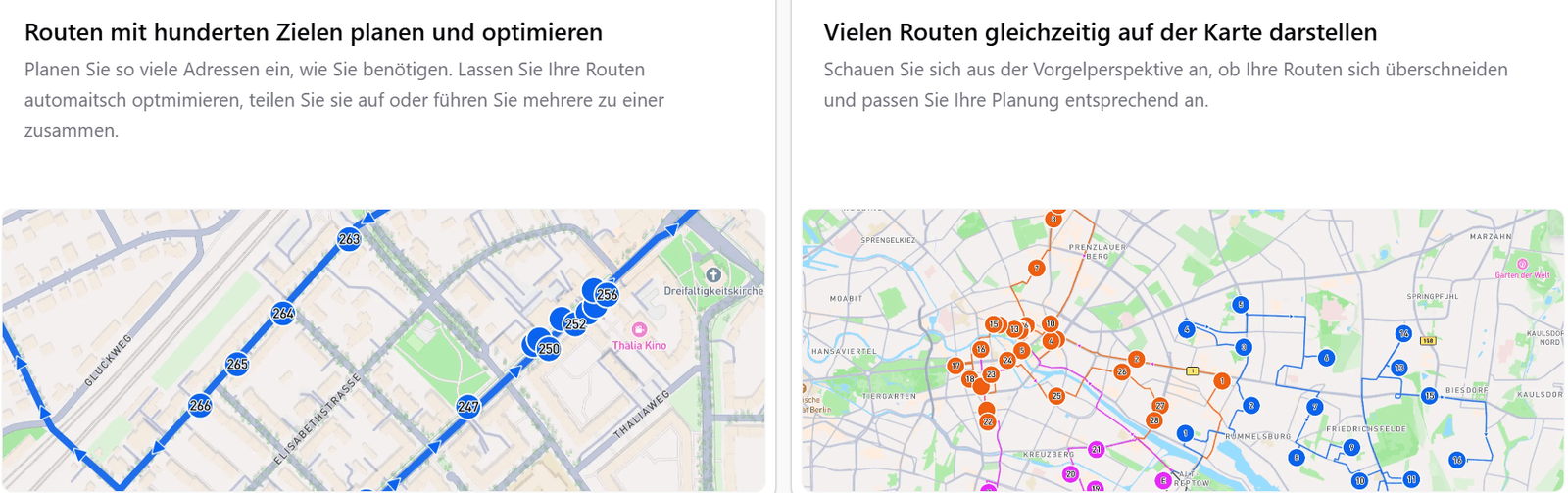
Small and mid-sized businesses face a particular version of this problem. There is rarely time for an elaborate enterprise rollout, and usually no IT team to maintain it. At the same time you cannot afford half-empty routes and idle time, because every inefficient route costs real money. xRouten is aimed at exactly that gap: capable enough to be worth having, simple enough that you can start without a long onboarding.
Who it is built for
Not all dispatch works the same way. Broadly there are two kinds.
Time-based dispatch is about who is available when, and which shift or appointment goes to whom. Home care, shift work in production, retail staffing. Where the work happens is usually secondary; time is the axis.
Location-based, route-driven dispatch is what you know from logistics, transport and haulage. Here the where matters as much as the when, and the question is how to bundle several jobs into one sensible route. That is service businesses with several sites in a day, delivery operations, transport companies, field service and couriers.
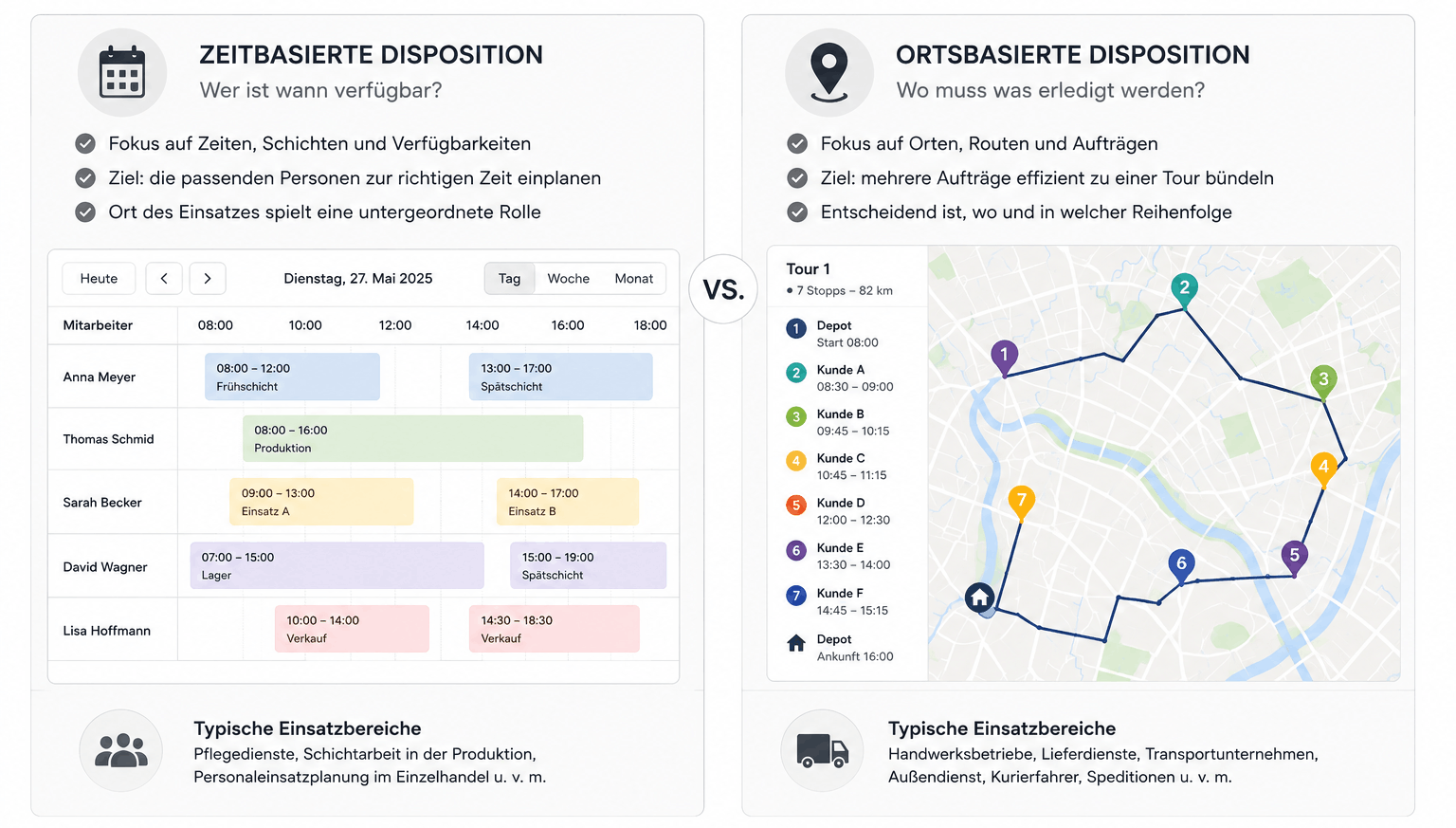
xRouten is clearly built for the second group. The map is the heart of the product. If what you actually want is a shift roster or an appointment calendar with no geographic component, a specialized calendar tool will serve you better. If you plan routes daily, coordinate a fleet and need to know which job sits geographically next to which other one, this is the right shape.
That does not mean there is no calendar. xRouten has a calendar view for placing jobs in time — but it is there to complement the map, as a second angle on the same data, not as an equal second centre of gravity.
Typical use cases
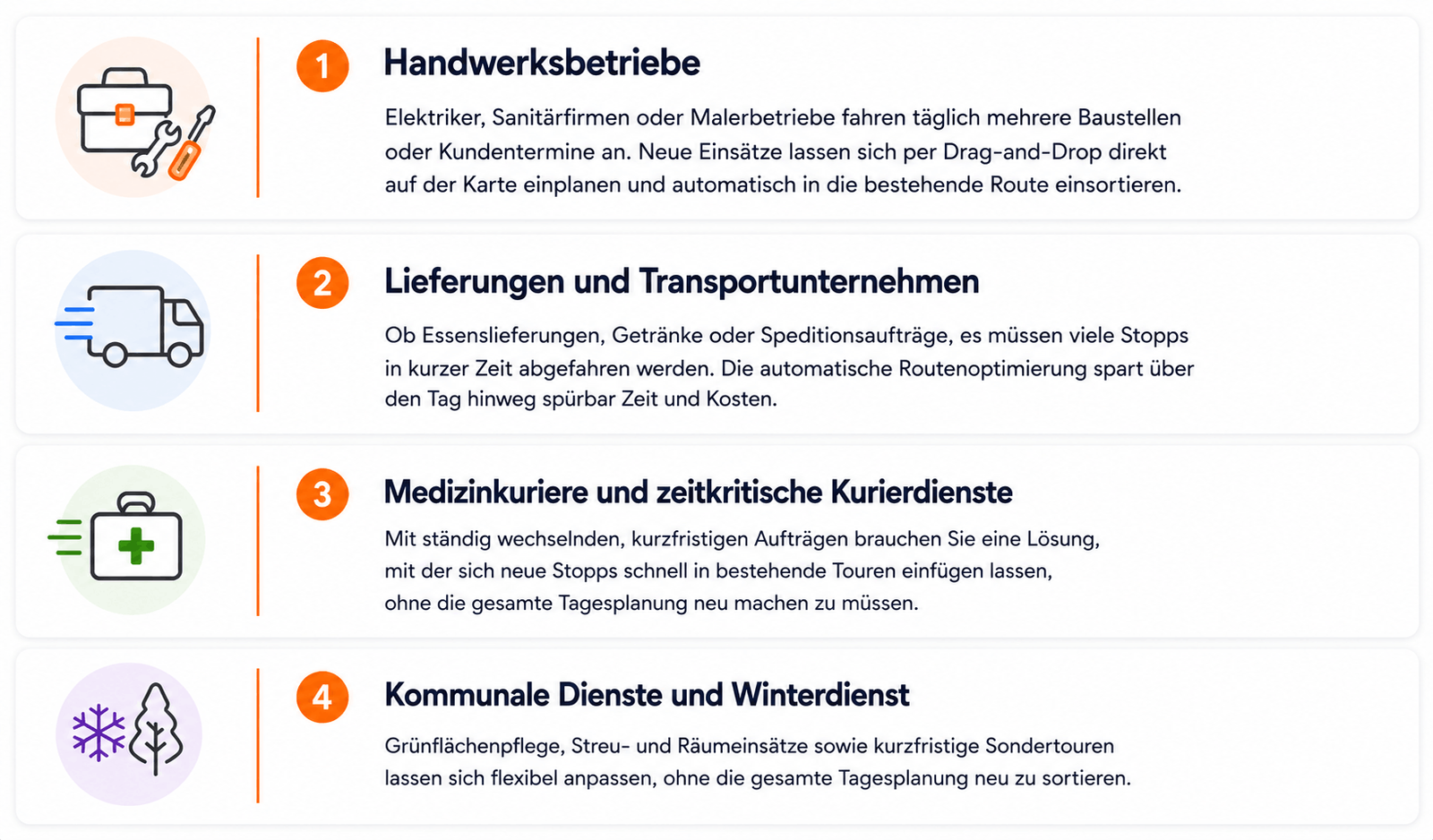
Service businesses working on site visit several job sites or customer appointments a day. In the morning, or the evening before, it is often not obvious what order makes most sense, especially when new jobs come in at short notice. New jobs can be dropped onto the map by drag and drop and slotted into the existing route automatically.
Delivery and transport companies — car parts, drinks, general freight — have a lot of stops to cover in a short window. Automatic route optimization pays for itself here. Small improvements in stop order add up noticeably across a day in both time and cost, and the office planning takes minutes instead of hours.
Medical couriers and other time-critical courier work, with constantly changing short-notice jobs, need a way to slot a new stop into an existing route without replanning the whole day.
Municipal services and winter maintenance benefit particularly from flexible planning: grounds maintenance, gritting and plowing, and short-notice extra rounds can be adjusted without resorting the whole day.
What it does
Route planning on the map
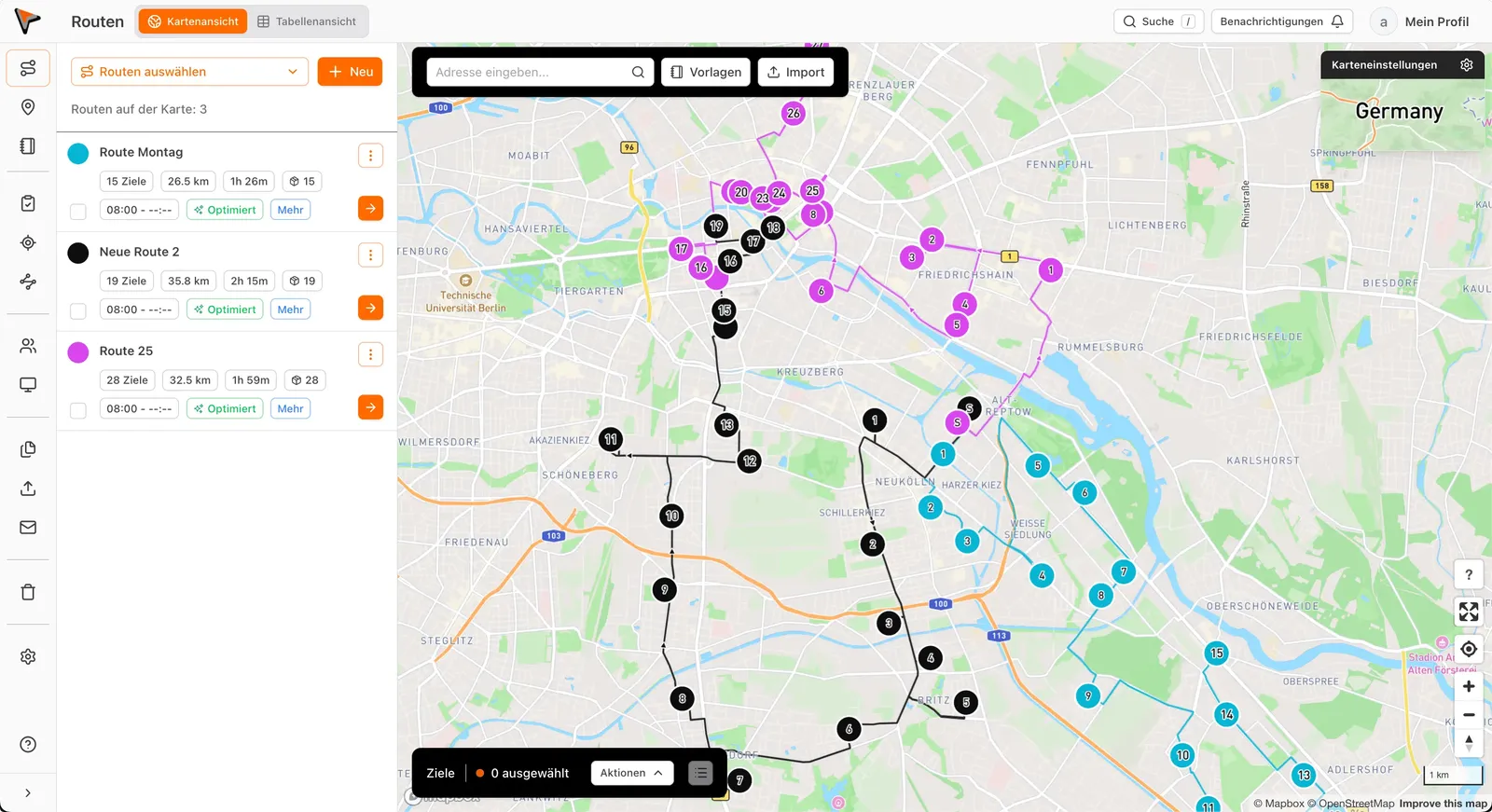
Visual route planning is the core. Jobs are created directly on the map, assigned to the right vehicles or drivers and bundled into routes. You see at a glance where each job is, how far apart the stops are and how the route runs overall. On busy days with a lot of simultaneous jobs, that makes a real difference compared with a list.
Automation and optimization
Instead of assembling routes by hand and relying on experience and instinct, xRouten calculates the most efficient order automatically. That saves unnecessary miles, time in traffic and ultimately money. With a lot of daily stops it adds up over time, and dispatch gets a bit more digital along the way.
Vehicle and fleet management
Jobs can be assigned to specific vehicles or drivers while you keep an eye on fleet utilization. No vehicle gets overloaded, and no capacity goes to waste.
Real-time communication with drivers
Changes to a route reach drivers in real time, with no extra calls or messages outside the software. That prevents misunderstandings and keeps dispatcher, driver and customer on the same page.
Documentation with photos, signatures and delivery notes
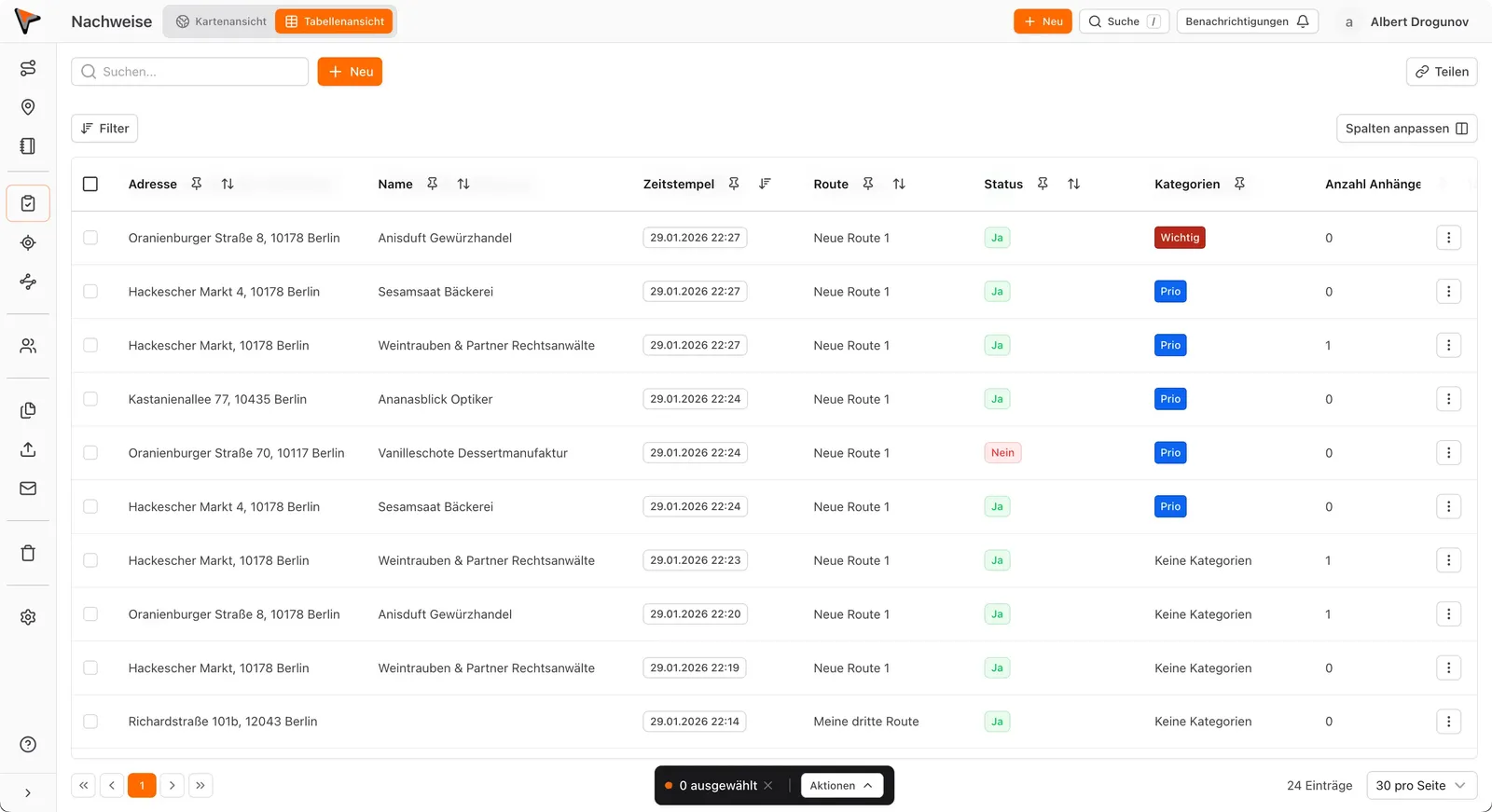
With the mobile app, drivers take photos, tick off checklists and get delivery notes signed on the spot. All of it arrives in the office in real time, with timestamps and location data, ready for your own records and for your customers.
Automatic emails and tracking links
Keep customers informed, optionally with live tracking of the kind parcel carriers use. That is good service and it heads off the constant calls and complaints. Tracking links and emails are optional and can be switched on or off per customer.
Calendar view
For jobs with a time component — fixed customer windows, or drivers' driving and rest times — there is a clear calendar view, so you keep route and schedule in sight without switching between tools.
Interfaces to other systems
xRouten is modular and connects to existing systems such as ERP or CRM. Jobs, customer data and billing information come across directly instead of being typed twice. It also connects to existing fleet or telematics systems, so it slots into the processes you have rather than replacing them.
Why it suits small businesses
Small and mid-sized businesses need something different from a large haulier or a corporation:
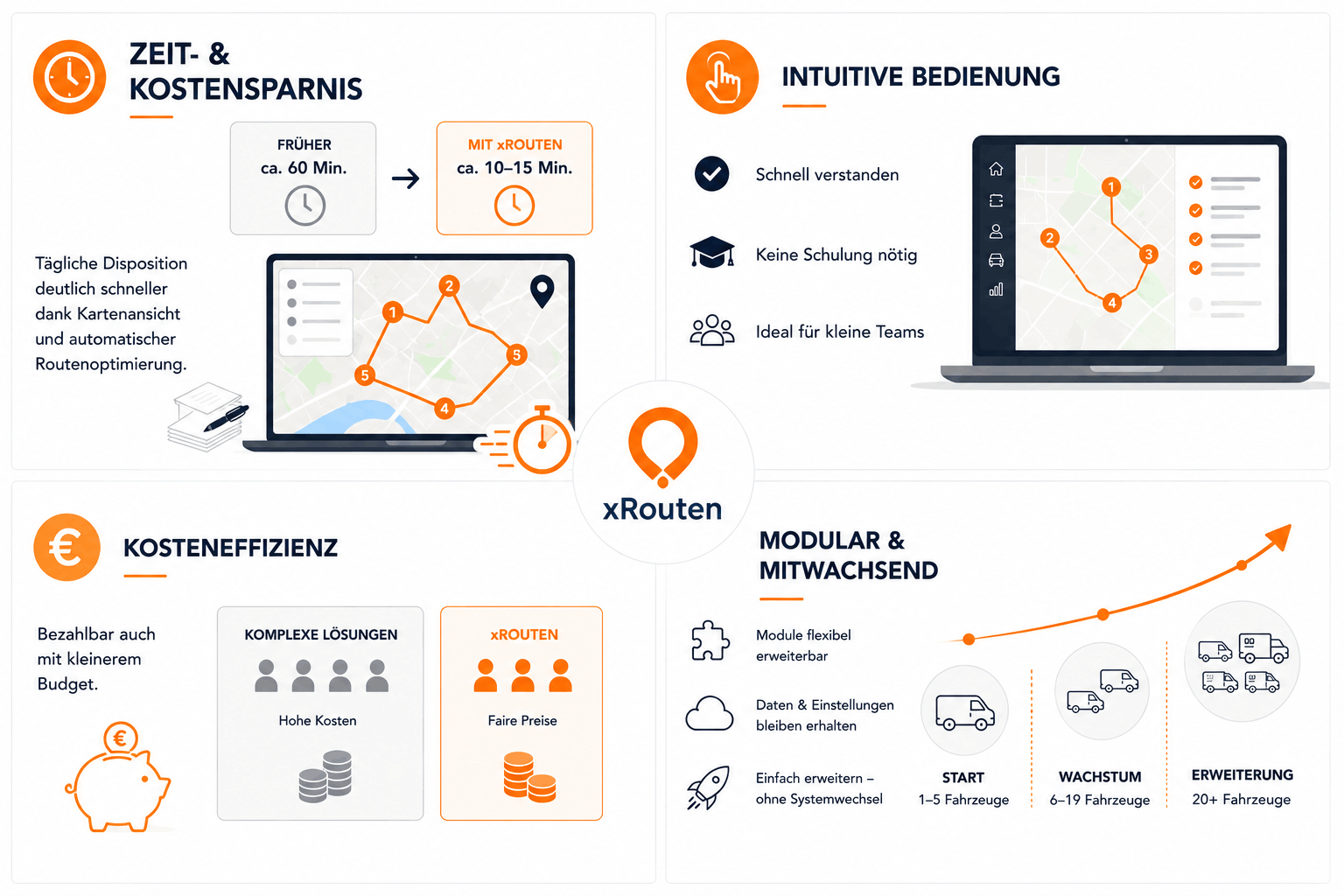
Time and cost savings. Daily dispatch that otherwise takes a lot of manual work and back-and-forth runs considerably faster. What used to eat an hour every morning takes a fraction of that with a good map view and automatic optimization.
An interface you do not have to learn. The product is deliberately built to be understood without a training program. For small teams with no IT department, that matters as much as the feature list.
Cost efficiency. Unlike enterprise systems built for large fleets and many concurrent users, xRouten stays affordable on a smaller budget.
Modular and able to grow. If the fleet expands or order volume rises, the software grows with it, without a migration to something else.
Common dispatch problems, and how the software addresses them
A lot of small businesses without specialized dispatch software wrestle with the same things. Jobs land in spreadsheets that become unreadable within weeks. Routes are planned by feel, without any real view of how the work is distributed geographically. When a customer cancels at short notice or a new job arrives, the whole day often has to be resorted by hand. And even when a route was reasonably planned, it is often unclear afterward what actually happened: which stop was completed, where the delays were, and whether all the proof is in.
The software takes that off you by putting the relevant information in one place — jobs, locations, fleet, drivers and time windows. Changes are made directly on the map, and the optimization adjusts itself. Afterward everything stays traceable: every completed job is in a table with its timestamp, status and attachments such as photos or signatures, with no chasing by phone or email.
A day with it
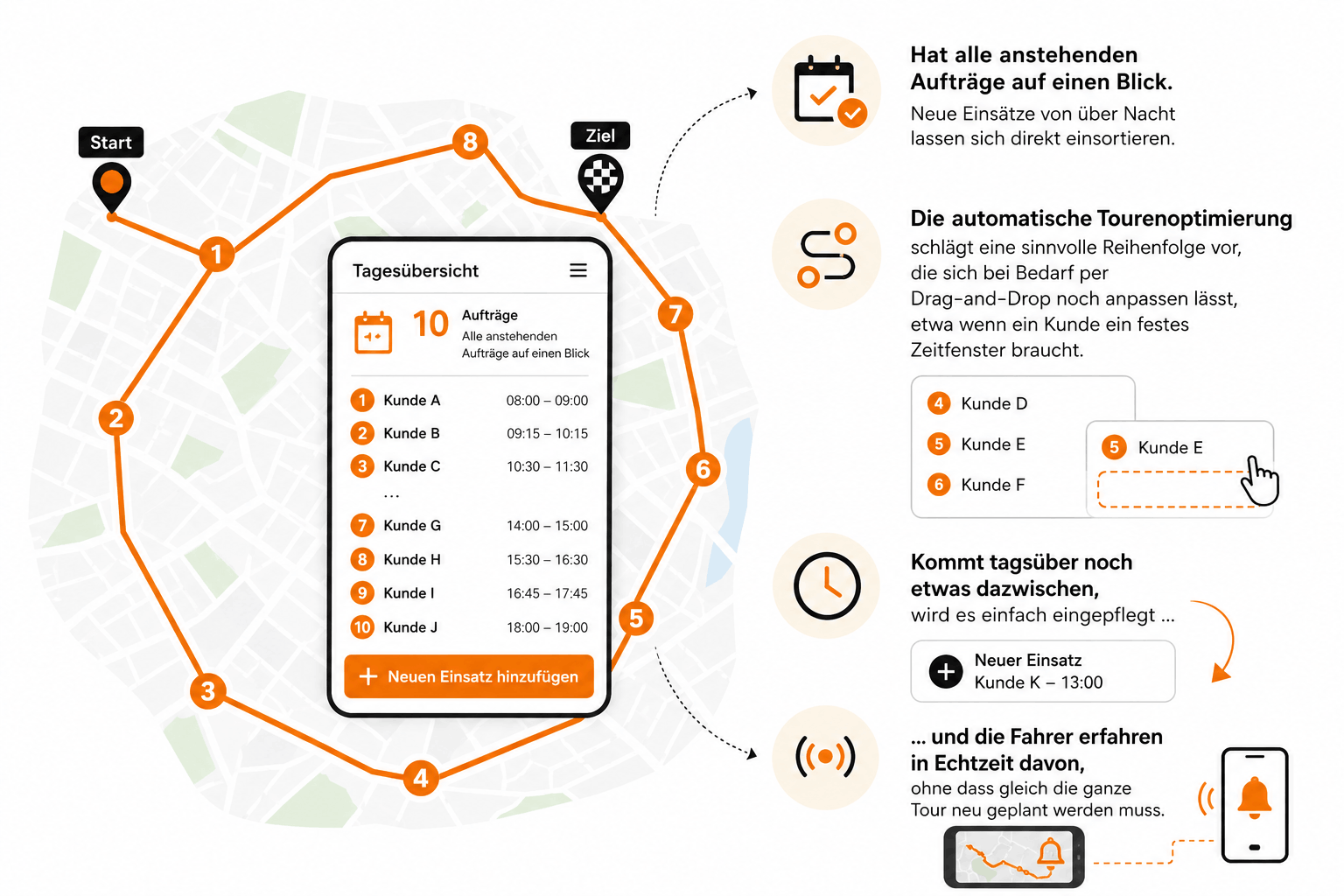
A typical day looks like this. In the morning the dispatcher opens the map view with all outstanding jobs in sight. Anything that came in overnight is slotted in. Automatic optimization proposes a sensible order, which can still be adjusted by drag and drop — for a customer with a fixed time window, say. If something comes up during the day it is entered and the drivers hear about it in real time, without the whole route being replanned.
All planned routes then appear on the drivers' phones or tablets and can be driven straight away. In the office, progress and location show in real time. Documentation comes in automatically and can be searched and exported at any point.
How it differs from other tools
The market for dispatch and transport management systems is enormous, and not every product suits every case. Some are pure schedulers with no map component; others, like Webfleet, are aimed at large fleets with complex telematics and fleet management requirements. xRouten sits between the two: a focused, cloud-based option for small and mid-sized businesses that want professional route planning without the overhead of a full suite. For how it compares with other providers, see route optimization software compared.
Try it
Whether you are a manufacturer, a service business, a delivery operation or a municipal department, xRouten suits small businesses that want to plan dispatch on a map. The best way to judge is to test it — 14 days, free.
Frequently asked questions
Is it suitable for a very small business with only a couple of vehicles?
Yes. xRouten is modular and works regardless of fleet size. Even with one or two vehicles you get the map view and automatic optimization without paying for features you will not use. If the fleet grows later, the software grows with it.
Can I test it free?
Yes, 14 days with no commitment, so you can try it in your own working day before picking a plan. There is nothing to cancel — the trial ends by itself.
Is it suitable for home care or shift planning?
Not really. xRouten is built for route-based dispatch — companies that plan their work on a map and need routes optimized. For pure shift or appointment planning with no geographic component, as is common in care, specialized calendar tools are usually the better choice.
Can it connect to an ERP or CRM?
Yes, through its interfaces. Jobs, customer data and billing records come across directly instead of being maintained twice. Connections to Zapier, Odoo and WooCommerce are also possible, and the API means practically any system, including in-house ones, can be connected.
Is it cloud-based?
Completely. No local installation. All data is available in real time across devices, in the office or on the mobile app, and updates and maintenance happen in the background.
How does it differ from a full TMS or something like Webfleet?
Large transport management systems are aimed at hauliers with big fleets and complex telematics and fleet management requirements. xRouten is cut for small and mid-sized businesses that want a focused, uncomplicated tool for daily route planning, without the administrative weight of a full suite.
How many users can work in it at once?
It is modular and works with several concurrent users depending on company size, from a single dispatcher to a larger logistics team. Roles and access rights can be set to match your own structure.

Try xRouten free for 14 days
Try it now